

Two new arrivals this release, both about getting started: a guided setup for new venues, and registration forms you write yourself.
The setup wizard
New organisations are now walked through setup in the order a venue thinks about it: your details, your sports, your courts, your first season, your first competition, billing.
Every step saves as you go, so you can stop halfway and pick it up after dinner. By the end you've got a working organisation with a public page, ready for its first registrations.
Ask your own questions
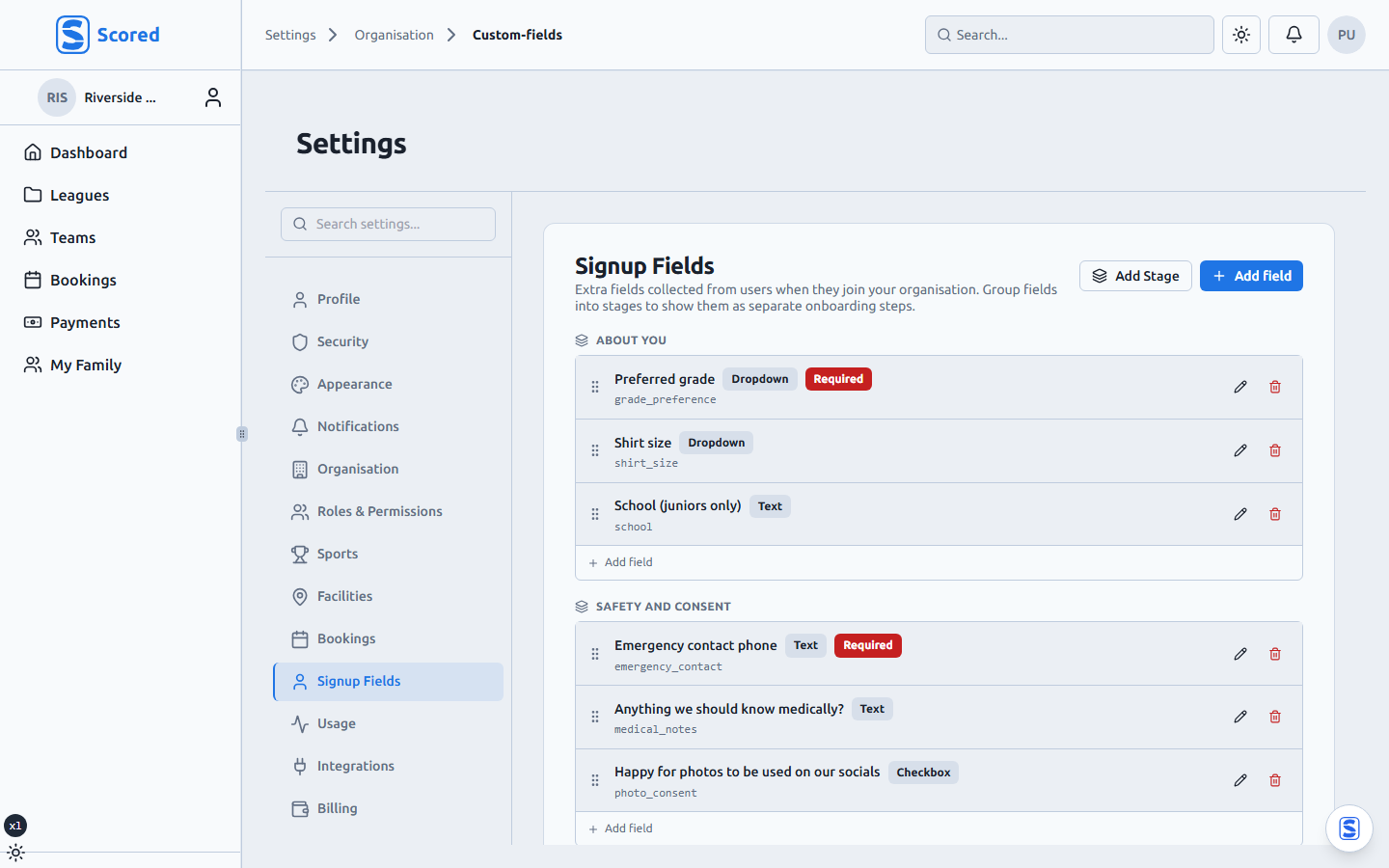
Every competition wants something different at sign-up. A junior netball league wants a school and a parent's mobile. Social indoor cricket wants a grade preference and a shirt size. A charity tournament wants a fundraising target and who's vegetarian for the after-function.
Custom join fields let you write those questions yourself and attach them to a registration form. Required or optional, grouped into stages, shown on the public join page. The answers land on the player record where your team managers can see them.
The answers travel with the player
Because your questions run through the normal registration flow, everything else still happens: the player is created, the payment goes through, the team fills up, and the answers come along.
Export the season and they're in the export. Open a player and they're on the player.
And decimal bonus points
A small one several leagues asked for: bonus points now take decimals. Award 1.5 for a bonus point and the ladder says 1.5.
Setting up a new venue? The wizard starts the moment you create your organisation, and the getting started guide covers the rest. Moving an existing competition across mid-season? Give us a shout and we'll help with the import.